Automatic guided tours and instant transitions: a major VPano update
We have released a major VPano update that makes working with 3D tours faster and more convenient. It focuses on two things: automatic tour creation and much faster navigation in 3D tours.
Automatic tours: a guided tour in seconds
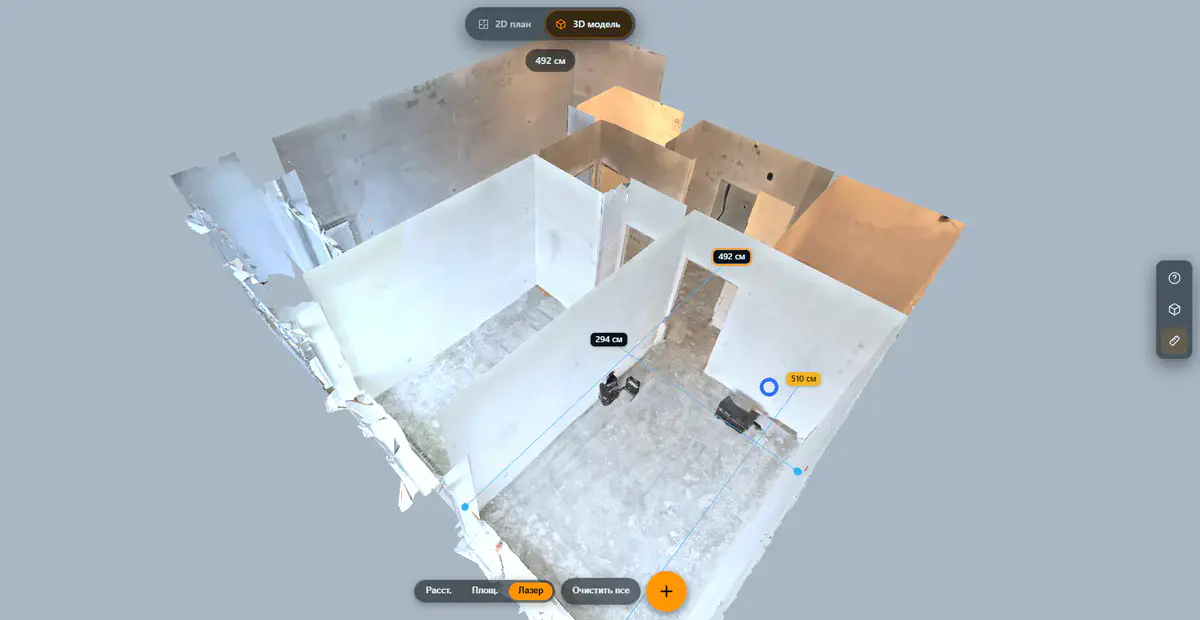
Say you have uploaded a 3D scan of an apartment with 80 capture points. Until now, building a guided tour meant adding every stop by hand, setting the order, the timing and the camera direction. That could take 20 to 30 minutes of fiddly work.
Now you open the Tour tab in the 3D studio and click Auto. The system automatically:
- plans an efficient route through all capture points;
- places stops with a pause for looking around;
- turns the camera smoothly in the direction of travel;
- calculates the transition speed between points.
The result is a finished guided tour in a few seconds instead of half an hour. See an example tour.
Fine-tune everything
The automatic route is only a starting point. You can adjust every aspect of the tour:
- Pause at each stop: how many seconds the camera lingers at each point;
- Transition speed: how fast the camera moves between panoramas;
- Rotation speed: how smoothly the camera turns to the next view;
- Route order: drag stops to change the sequence.
The Apply to all button is especially handy: set up one stop (pause, transition speed, rotation speed) and apply those values to the whole route with a single click. To start over, Clear removes all stops at once.
A camera that moves like in a film
During the automatic tour, the camera behaves naturally, as if someone were walking through and looking around:
- when moving to the next point, the camera turns smoothly towards the direction of travel;
- one panorama blends into the next without abrupt jumps;
- with a pause of zero, the stops merge into one continuous movement: the camera passes through the points without stopping.
The result feels like a smooth guided visit rather than a slideshow.
Instant transitions between panoramas
Alongside the tour system, we rebuilt the navigation engine. Clicking a navigation point now feels instant, with no delays, loading indicators or freezes.
Smart preloading
The system works out which panoramas can be reached from your current position and loads them in the background ahead of time. When you click a navigation point, the image is already there and the transition starts immediately.
Preloading is selective:
- panoramas in the direction you are looking are loaded first: your view direction sets the priority;
- loading only happens in the background while you are not interacting with the scene;
- it adapts to the connection speed and does not get in the way of viewing.
Caching of visited panoramas
Every visited panorama is kept in the browser's memory. When you return to a point you have already seen, the transition is instant, without downloading or processing it again. The panorama is kept at the quality you saw it in, including high resolution.
Progressive quality
When you move to a new point, a lightweight version of the panorama appears first, within a fraction of a second. The high-resolution version then loads automatically. The upgrade is smooth and barely noticeable: you see the space right away, and the detail sharpens in front of you.
Faster on mobile devices
A large part of this update is about mobile devices. Most of your clients will open tours on a smartphone, from a link in a chat or on a website.
- Faster start: the loading screen appears earlier and settings load in parallel, so the first panorama shows up sooner.
- Adaptive resolution: quality is matched automatically to the screen size and connection speed.
- Lower resource use: unnecessary calculations during viewing are switched off, so devices run cooler and use less battery.
- Minimal loading indicator: a small animated circle replaces the text message and only appears during longer loads.
Tour editor improvements
The tour editor in the 3D studio has received many refinements:
- Visual duration bar: a horizontal bar shows the relative length of each step, so you can see at a glance where the tour lingers and where it moves fast.
- Drag-and-drop stops: change the route order by dragging.
- Preview: play the tour right in the editor to check it before publishing.
- Pause and resume: stop playback, make changes and continue from the same spot.
- Capture view: save the current camera view for a stop.
Who benefits?
Real estate agents and agencies: an automatic tour of an apartment takes seconds. The client receives a link and follows a guided tour with smooth transitions from one viewpoint to the next.
Hotels and restaurants: show guests the rooms, lobby, restaurant and conference rooms in a single tour. Smooth transitions connect the spaces into one coherent visit.
Museums and exhibition halls: lead visitors through the exhibition with a stop at each exhibit, so they can see the show without leaving home.
Photographers and studios: offer clients an extra service, an automatic guided tour of the space you captured. Minimal setup time, maximum impact for the client.
Try it now
All updates are already live. Open any 3D project, go to the Tour tab and click Auto: your first automatic tour is ready in a few seconds.
No account yet? Sign up and upload your first 3D tour. We look forward to your feedback.
Try it with your own project
Create a free account and build your first tour — paid plans are set up on request.
Create a free account →