Archviz virtual tour: your 3D scene and 360° renders as an interactive tour
Keep your scene, your renderer and your look. VPano adds the model, the viewpoints and the navigation, and your client opens the result with a link.
From archviz scene to interactive 3D tour
Still renders and fly-through videos show a project from fixed angles. A 3D tour lets your client look around at every viewpoint, move to the next one and turn the whole model from outside — at their own pace, in the browser.
VPano turns a Cinema 4D or 3ds Max scene and your own 360° renders into a 3D tour that opens in any web browser. It is not a video and not a real-time game engine: each viewpoint shows your rendered panorama in full quality, and the 3D model underneath gives depth, smooth transitions along the geometry and the view from outside.
How it works: cameras, 360° renders, export
- Place cameras. Put ordinary cameras where the viewer should stand, at eye level, and name them pano_1, pano_2, pano_3 and so on.
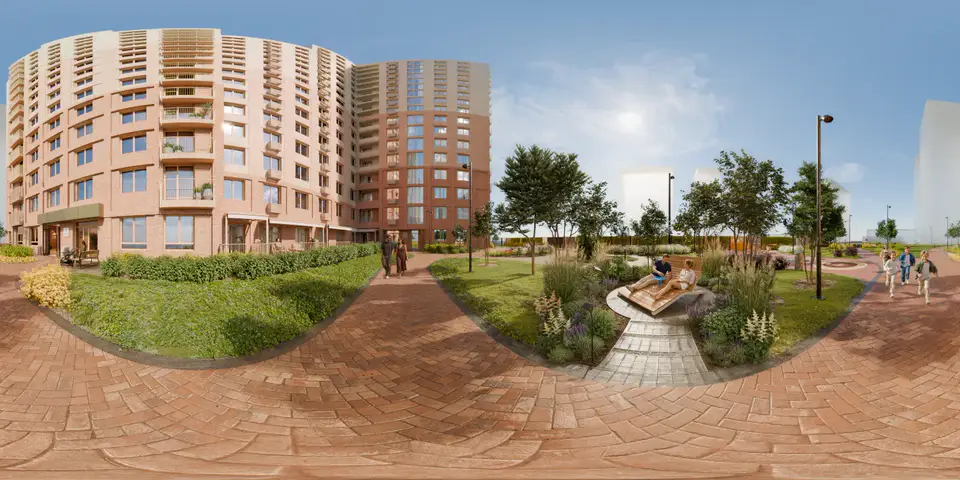
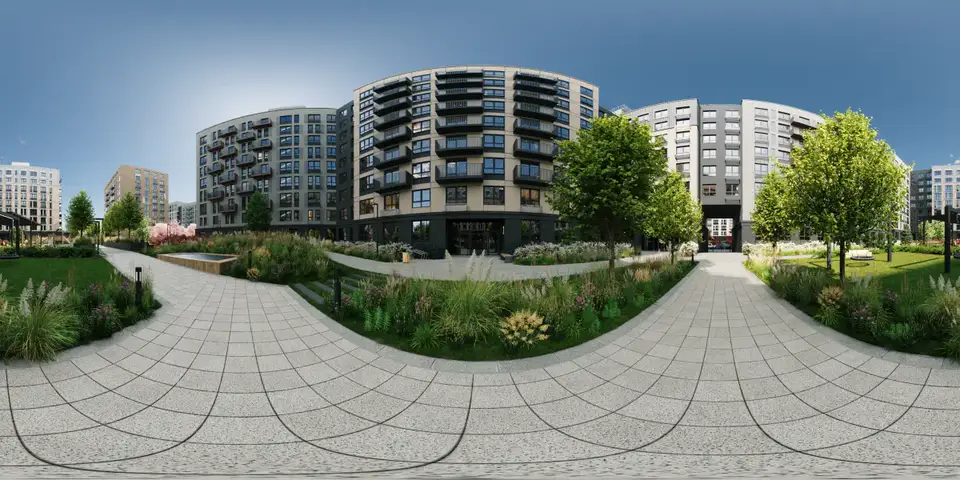
- Render panoramas. Render a spherical 360×180 panorama (equirectangular, 2:1) for each camera in your usual renderer. 4096×2048 works well; 8192×4096 for premium projects.
- Export. The VPano plugin collects the model geometry, the camera positions and the panoramas into one .vpano package and uploads it to your account.
- Refine and share. The tour appears under 3D projects with viewpoints exactly where your cameras stood. Add hotspots and your branding, then publish.
VPano does not render your scene; it builds the tour from your model and the panoramas you render. Step-by-step guides: Cinema 4D plugin and 3ds Max plugin.
Which 3D software and renderers work
- Cinema 4D R20 or later, Windows and macOS — free plugin.
- 3ds Max 2018 or later — free plugin.
- Any renderer that outputs spherical panoramas: V-Ray, Corona, Redshift, Octane, Arnold or the built-in renderers. The plugin works with the finished images and does not touch your render settings.
- Other 3D software: export the scene as FBX or GLB/GLTF and add panoramas rendered from the chosen positions.
The plugin connects to your account with a token from your dashboard, so you never enter your password in the 3D application.
What your client sees
- Viewpoints with smooth transitions along the 3D geometry instead of hard cuts between images.
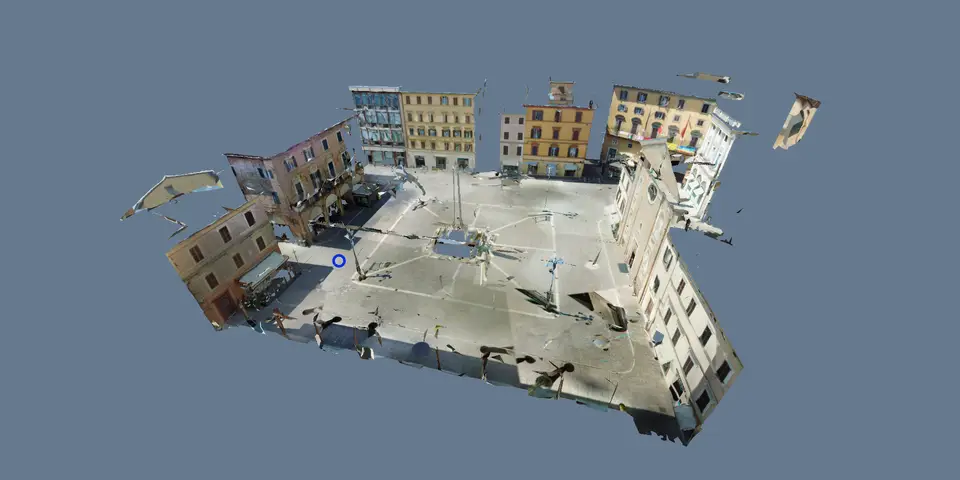
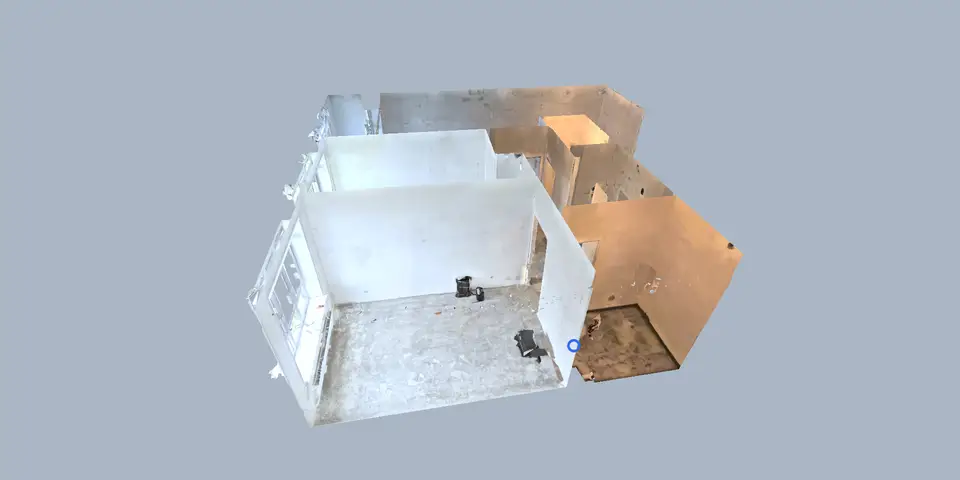
- Dollhouse view: the whole building or apartment from outside, with a click straight to a viewpoint inside.
- 2D plan, floors and minimap so the layout is always clear.
- Measurements of distances and areas on the model, once its scale is confirmed and you show the measure button.
- Scene variants such as furnished and empty: a second panorama for the same viewpoint, switched with one button. See scene variants.
- Tour interface in English, German or Russian.
Read more about measuring in 3D tours or compare with other 3D tours.
For archviz studios, architects and developers
Archviz studios add an interactive deliverable to stills and animations without rebuilding the project. Architects present a design in a way clients understand at once. Developers use the architect's renders to sell homes before completion.
The architecture firm ARCHIGROUP builds its client tours on VPano from its own renderings — for example the Gorod-Park courtyard for the developer Talan and the Art Kvartaly residential complex for Marmax.
Deliver it your way
Send a link, embed the tour on your studio's or the developer's website, present it under your own brand, or, on request, get it as a ZIP for your own server for a one-time USD 250 per tour (an active plan is still required). Your client needs nothing but a browser on a phone, tablet or computer.
VPano gives archviz studios an interactive 3D tour as a deliverable, built from the scene and renders they already have. No 3D model, only panoramas? A 360° panorama tour is the faster option.
Questions
Which 3D software and renderers can I use?
Cinema 4D R20 or later and 3ds Max 2018 or later with the free VPano plugins, and any renderer that outputs spherical panoramas, such as V-Ray, Corona, Redshift, Octane or Arnold. Other 3D software works via FBX or GLB/GLTF export with your own rendered panoramas.
Does VPano render my scene?
No. You render the 360° panoramas in your own renderer, so quality and look stay in your hands. VPano builds the tour from the model, the camera positions and those panoramas.
Can my client see a furnished and an empty version?
Yes, with scene variants: one second panorama per viewpoint, switched with a button. The 3D model view always shows the base version, so furniture and finish options work best.
Does my client need to install anything?
No. The tour opens in the browser on phones, tablets and computers from a link or an embed on a website.
Can I deliver the tour under my studio's brand?
Yes. You can present tours under your own brand, and embed them on any website. On request you can also get a tour as a ZIP for your own server for a one-time USD 250 per tour. Paid plans start from $99 per month with 3 tours included, set up on request and billed by invoice.
Turn your next scene into a 3D tour
Create a free account, install the plugin for Cinema 4D or 3ds Max from your dashboard, and export your first tour.
Create a free account →