Measure distances right inside a 3D tour: a new VPano tool
We keep developing VPano, and today we are introducing two updates that are especially useful for professionals in real estate, architecture and interior design.
A tool for measuring distances
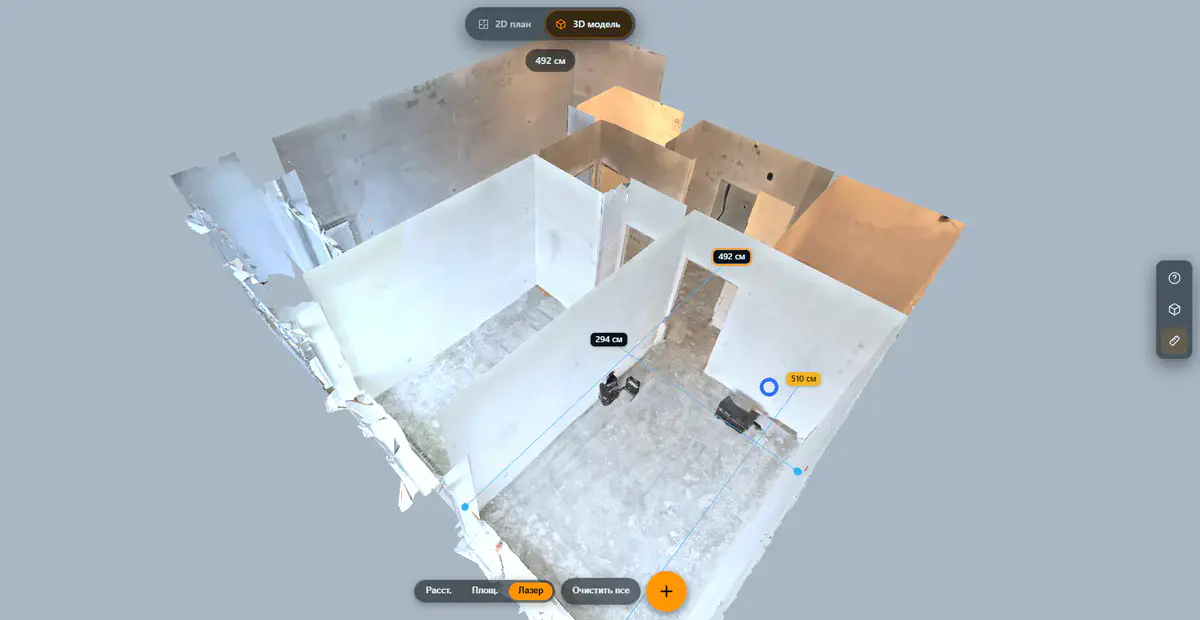
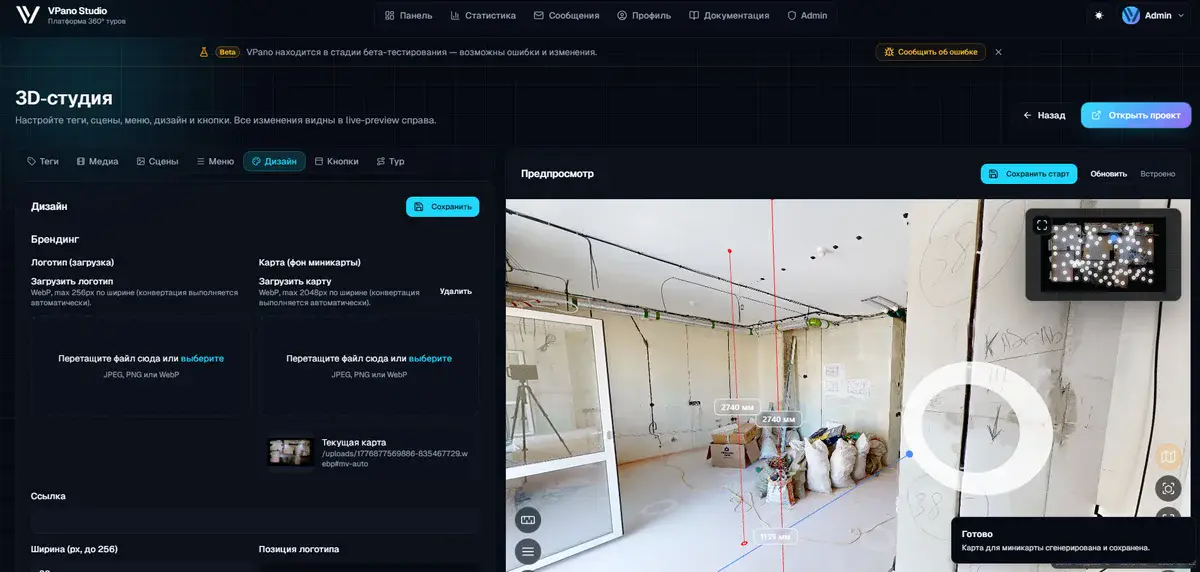
You can now measure real distances directly inside a 3D tour: between walls, windows, furniture or any other points in the space. Activate the measuring tool and click two points, and the distance appears in meters.
Who benefits:
- Real estate agents: show clients room dimensions without a site visit.
- Architects and designers: check room dimensions for space planning.
- Owners of commercial space: give tenants accurate information about the premises.
The tool works on the 3D model of the space, which is what makes the results accurate once the model's scale has been confirmed. Measuring works in the editor, and in the published tour visitors can measure too when you add the measuring button to the tour's toolbar.
A new scanned property
There is a new demo project on the platform: a professionally scanned interior created by the V-Live team. It shows the level of detail and quality you can achieve with professional 3D scanning equipment.
Take a look at:
- the high level of detail in textures and geometry;
- realistic navigation between capture points;
- accurately reproduced proportions and dimensions;
- measuring distances right in the tour.
If you need a professional 3D scan of a property, the V-Live team scans interiors of any complexity and publishes the results on VPano.
Try it now
The measuring tool is already available in all 3D projects on the platform. Open the demo tour, activate measuring mode and see for yourself.
Questions or need help? Contact us.
Try it with your own project
Create a free account and build your first tour — paid plans are set up on request.
Create a free account →